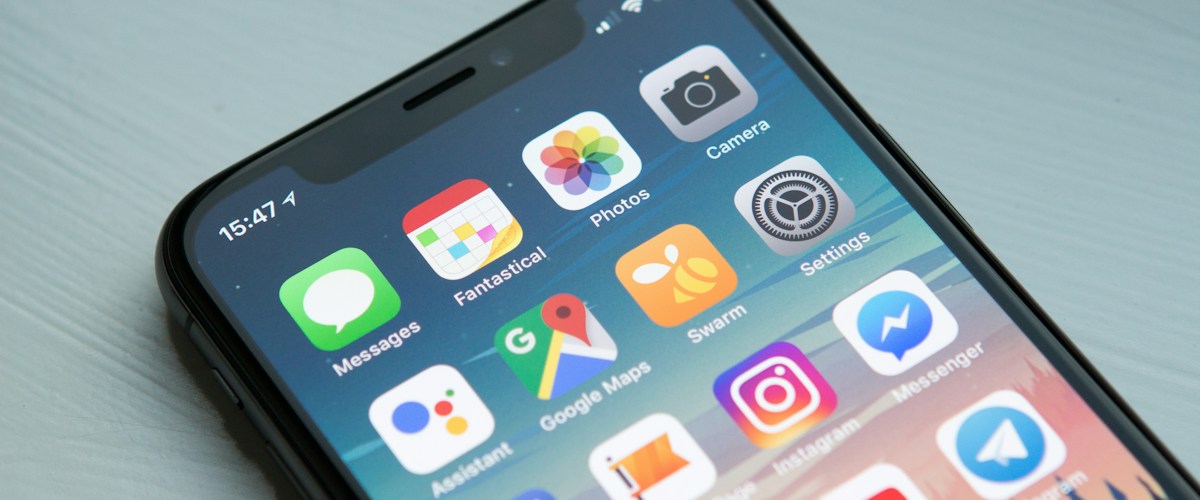
At 1:38 in the morning, a guest standing on the porch of the cabin sent four messages in ninety seconds. The first was a question. The second was the same question with more punctuation. The third said they were going to find a hotel. The fourth was a photo of the lockbox, taken with the flash on, in which you could see nothing at all.
I know the exact times because I read all four of them at 7:12 a.m., in bed, with the sick feeling you get when a timestamp tells you what happened without you.
Here’s the part that stuck with me: the answer was trivial. Their code worked. They were at the wrong door — the one at the top of the outside stairs, which belongs to the neighbor. Three sentences and a photo would have put them inside in under a minute. Those three sentences existed; I had typed them before, to another guest, in June. There was simply nobody awake to send them.
That night didn’t convince me I needed to reply faster. It convinced me that “faster” is the wrong frame entirely. What I needed was a decision — made in daylight, while I was calm — about which 1 a.m. messages get handled without me and which ones are supposed to wake me up.
”24/7” Is a Coverage Question, Not a Speed Question
Most hosts, me included, start out treating after-hours support as a willpower problem. Keep the phone loud. Keep it on the nightstand. Check it when the dog wakes you. That approach doesn’t fail because you’re lazy; it fails because it has no shape. Every message gets the same treatment — none — until you happen to look.
Coverage means something more specific. For each kind of message that can arrive at 2 a.m., there is an answer to: who or what resolves this, and how long does the guest wait? If any kind of message doesn’t have an answer, you’re not covered for it. You’re hoping.
You do not need everything answered at 2 a.m. You need to know, in advance, exactly which things are answered at 2 a.m. and which things wait until 8 — and the guest needs to know it too.
That reframe matters because it makes the problem finite. There are maybe six things that genuinely happen overnight at a short-term rental, and only two of them are emergencies.
What Actually Arrives Overnight
Read a few months of your own after-hours messages and they sort themselves into a short list. Mine looked like this, roughly in order of frequency:
Inquiries from people shopping. Someone three time zones away is comparing four listings at what is lunchtime for them. They have one question — pets, parking, whether the second bedroom is really a bedroom — and they’ll book whichever of the four answers first.
Facts about the stay. The wifi password, the trash day, where the extra blanket is, what time checkout is again. The guest is already inside and nothing is wrong; they just want the thing they can’t find.
Access failures. The code doesn’t work, the door won’t latch, the gate won’t open, the guest is at the wrong door. This is the category that turns into a one-star review in about twenty minutes.
Something is broken and it matters now. No hot water, no heat in January, a toilet that won’t stop running, a smoke alarm chirping at 3 a.m.
Something is broken and it can wait. A burnt-out bulb, a dragging shower door, a dead grill igniter. These arrive at midnight because that’s when the guest noticed, not because they’re urgent.
A real emergency. Water coming through a ceiling, a smell of gas, a medical situation, a neighbor dispute with police involved.
Written out like that, the staffing question stops being “do I need 24/7 support” and becomes “which of these six do I want a human for.” For most hosts the honest answer is the last two, sometimes the fourth — and that is a very different, much cheaper problem than being on call for all six.
It’s worth doing this with your own messages rather than trusting my list. Scroll back three months in each platform’s inbox, note anything timestamped between 9 p.m. and 7 a.m., and tally it. Two things usually surprise people: how much of it is shopping inquiries from other time zones, and how few genuine emergencies there were. I had been organizing my nights around the emergencies, which were rare, instead of the inquiries, which were constant and which I was losing. If your messages live across Airbnb, VRBO, and a direct inbox, this is tedious to do by hand — Outkeepr pulls them into one place, which at minimum makes the audit a single scroll instead of three.
The Test: Can It Be Resolved Without a Judgment Call?
The line that matters isn’t urgent-versus-not. It’s whether resolving the message requires a decision only you can make.
A guest asking for the wifi password needs retrieval. A guest asking to check out four hours late needs a decision — and that decision depends on whether someone is arriving that day and whether your cleaner can absorb the delay. The first can run unattended forever. The second can run unattended only if you’ve written the rule down somewhere a machine can read.
| Overnight message | Resolvable unattended? | What has to be true |
|---|---|---|
| Pre-booking question | Yes | The listing facts live somewhere current, not in your head |
| Fact about the stay | Yes | Property details are per-property and actually up to date |
| Code doesn’t work | Usually | The system can re-read or re-issue the code for this booking |
| Late checkout / early check-in | Yes, with rules | A rule plus tomorrow’s calendar for that unit |
| Broken and urgent | Partly | It can acknowledge and triage; a human still fixes it |
| Flood, gas, injury | No | This is what the phone on the nightstand is for |
The top four rows are the overwhelming majority of overnight volume, and none of them need me. That’s the whole case. I made a version of this argument about daytime triage in the piece on handling guest inquiries across platforms — overnight just removes the escape hatch where you eventually look at your phone.
What makes those rows automatable is not clever writing. It’s data. “Your code is 4417, and the door you want is the one off the gravel drive, not the stairs” requires knowing which booking is active, which lock belongs to that unit, and what that unit’s quirks are. A canned reply can’t produce that sentence. Something holding the booking and the property can. That’s the join Outkeepr is built around — it answers from the actual reservation and the actual property rather than from a FAQ that may or may not still be true.

Build the Escalation Ladder Before You Need It
Automated coverage without an escalation path isn’t coverage — it’s a wall. Guests can tell within two exchanges whether anything is behind the replies, and nothing is worse than a cheerful non-answer at 2 a.m.
So define the rungs explicitly. Mine:
- Answer it. Anything in the top four rows above. Target: under a minute, any hour.
- Answer it and flag it for morning. The dead bulb, the dragging door. The guest gets acknowledged now; the task exists for me at 8 a.m. so it isn’t a sentence that scrolls away.
- Act, then tell me. Access failures where a code can be re-issued. The guest gets in; I read about it with coffee.
- Wake me. Water, gas, heat in winter, anything medical, anything involving police, anything where a guest says they’re leaving.
- Wake me and call me. The subset of rung four where a notification isn’t enough — a push notification loses to a silent phone.
Two things make this ladder work in practice. The first is that rung four has to be narrow. If everything escalates, you’re on call again with extra steps. The second is that rungs two and three must actually produce a record.
That second one is where my first attempt at this fell over. I had the ladder, and rung two worked exactly as designed — the guest got a reply, I got a notification — and then I swiped the notification away at a traffic light and the dragging shower door went back to not existing. A notification is not a record. The reply at midnight has to leave behind a task attached to the right property, or you’ve automated the acknowledgment and lost the work. That’s why I’d rather the thing answering overnight messages also own the task list; in Outkeepr a flagged message becomes a task on that property, which means the morning version of me doesn’t have to reconstruct the night from a message thread. I wrote more about why discovered work vanishes in the task management post — the overnight case is just the worst version of it, because nobody is awake to write anything down.
Writing the ladder down is worth doing even if you’re the one answering everything today. It’s the artifact that makes handing the night shift to anyone — a co-host, a VA, software — possible later. Without it, nobody can act for you without guessing, and guessing at 2 a.m. is how a guest gets told the wrong door is the right one.
The Access Failure Is the One to Get Right
If you only automate one overnight category, make it this one. A guest who can’t get in is the only message where every minute of delay compounds: they get colder, angrier, and closer to a hotel, and the review is being written in their head while they stand there.
It’s also the most automatable, because almost every “my code doesn’t work” has a boring cause:
- They’re entering the code before their check-in window opens
- They’re at the wrong door, or the wrong unit in a duplex
- They’re missing the trailing key, or pressing it when the lock doesn’t want one
- The lock’s battery died and nobody read the warning
- The code was issued against a booking that moved, so the window is wrong
Four of those five are resolvable with information, instantly, at any hour. The fifth — a dead battery — is the one that needs a human with a key, and it’s also the one you can mostly prevent by watching battery level per lock instead of per house. I went deeper on the mechanics of codes and windows in the post on automating key exchange, but the overnight version is simpler: the system that answers the message should be the same system that issued the code. If your messaging tool can’t see the lock, every “it’s not working” becomes a wake-up call by default.
This is the part of Outkeepr I’d have paid for on the night of the lockbox photo — not because answering is clever, but because it knows which door, which code, and which window for the booking that’s standing outside.
What You Should Never Let Run Unattended
Automating the night is only safe if you’re strict about the edges. My list of things that never get an automated answer, no matter how obviously phrased:
- Anything involving money. Refunds, discounts, damage charges, a disputed cleaning fee. Even a generous answer is one you want to give yourself.
- Anything involving safety. A guest who feels unsafe, a smell of gas, a carbon monoxide alarm. Acknowledge and escalate; never resolve.
- Complaints about a person. A cleaner, a neighbor, a previous guest. These need a human reading tone.
- Cancellations and date changes. Mechanically simple, consequentially huge.
- Anything a guest asks twice. A repeat question means the first answer missed. That’s a signal to hand over, not to rephrase.
That last one is the most useful rule I’ve got, and it’s worth encoding wherever your automation lives. A system that notices it has failed and gets out of the way is more trustworthy than one that’s slightly better at answering.

How to Tell Whether Your Coverage Is Real
Coverage you haven’t tested is a belief, not a system. Three checks I run, and the first one is non-negotiable:
Lock yourself out. Go to the property, stand at the door, and send the message a confused guest would send — badly worded, no context, at an inconvenient hour. See what comes back. If the reply doesn’t name the right door and the right code for the booking in the system, your coverage has a hole exactly where it hurts most.
Audit a month of after-hours messages against the six categories. Not to count them, but to find the ones that fell outside your ladder entirely. There’s always one. Mine was a guest asking whether the road was plowed, which turned out to be a question I couldn’t answer from the couch either.
Check your own response-time distribution, not your average. An average hides exactly the failure that matters. One lockout at 1:38 a.m. with a five-hour gap does more damage than fifty daytime replies do good, and it disappears completely into a monthly mean.
The point of all three is to find the gap before a guest does. Outkeepr is $5 per month per property plus 0.5% per booking, with a 14-day trial — which is mostly relevant here because it means you can run the lock-yourself-out test on your own door, with your own listing, before you commit to anything. Test it the way a confused guest would, not the way the person who set it up would.
The Honest Version of the Staffing Math
There are only three ways anyone covers the night: you do it, you pay a person, or software does the resolvable part and escalates the rest.
Doing it yourself works fine at one property and quietly corrodes everything at three — not because the volume is unmanageable but because the watching is. A guest who can’t get in at midnight on a Tuesday costs you the night whether or not they message.
Paying a person works, genuinely. It’s also payroll: it starts at a real monthly number, it needs onboarding, it needs the escalation ladder written down anyway, and the line item never goes away. I’m not going to invent a figure for what a VA costs in your market, but you know it’s not small, and you know it recurs.
Software covers the first four rows of that table and hands you the last two. That’s not “support automation” as a slogan; it’s a narrower claim — the retrieval and the rule-following get done at 2 a.m., and the judgment calls still route to a human. The judgment calls are the part you actually wanted to be awake for. If you’re mapping which pieces of your operation to hand over first, I laid out an order in vacation rental automation: the order you build it in, and overnight messaging earns its place early for the same reason it hurts: it’s the one failure your guest experiences in real time.
The Short Version
- Stop thinking in speed, start thinking in coverage. Every message type needs a named resolver and an expected wait.
- Sort your overnight volume into the six categories. Most of it is retrieval, not judgment.
- Write the escalation ladder down — including the narrow list of things that wake you, and the narrower list that calls you.
- Automate access failures first. It’s the highest-stakes overnight category and the most mechanical.
- Fence off money, safety, people, and cancellations. Plus: anything asked twice goes to a human.
- Test it from the porch, not from your desk.
The night of the lockbox photo, I didn’t lose the booking. The guest got in at 2:05 a.m. by trying the other door themselves, and they left a four-star review that mentioned, politely, that the entrance was confusing. That’s the best case. The best case still cost me a star, cost them half an hour in the cold, and the fix was three sentences that already existed.
Getting those three sentences delivered at 1:38 instead of 7:12 is the entire job. Outkeepr is free to try for 14 days — connect one property, then go stand at your own door and see what it says.
Ready to automate your vacation rental?
AI guest messaging, smart lock codes, cleaner scheduling, and more — starting at $5/mo per property.
Try Outkeepr Free