
In March I was standing on the porch of a beach condo with a pack of AA batteries, doing the least interesting job in hosting. While the lock was open in the app I scrolled the code list, mostly out of boredom.
Thirty-four active codes. On one door.
I could account for maybe eight of them. There was a code labelled plumber, from a water heater that had been replaced two winters earlier. There were eleven codes that were just four digits and no label at all. And there was one, labelled with a first name, that belonged to a cleaner who had stopped working for me the previous August — seven months of standing access to a furnished condo, granted by me, forgotten by me, and revoked by nobody.
The access log said it hadn’t been used since her last shift. That’s the part I want to be honest about: nothing bad happened. I didn’t have a security incident. I had something worse in a quiet way, which is a system that would not have told me if I’d had one.
Every article about smart locks for rentals — including, I’ll admit, the setup guide I wrote — spends its energy on getting people in. Which lock, which protocol, how to send the code. Almost nothing is written about the other direction, and the other direction is where portfolios quietly rot.
Issuing Is the Product. Revoking Is the Problem.
Think about what actually gets automated when you buy into this category.
A booking arrives, a code is generated, the code is pushed to the lock, the code goes into a message. Four steps, all of them triggered by a single happy event, all of them visible. If any one of them fails you find out immediately, because a guest is standing outside a door texting you.
Now think about revocation. It’s triggered by nothing — by the absence of a reason to keep a code. Nobody stands outside a door complaining that their old code still works. There’s no event, no notification, no unhappy customer. It’s the only part of the system whose failure mode is total silence.
Any process whose failure is silent will fail. Not might — will, eventually, because nothing in your week is shaped like a reminder to check it. The question worth asking of a tool isn’t “can it issue a code?” Everything issues codes. It’s “what, specifically, takes that code back, and what happens if that thing doesn’t run?”
That reframing is most of this post. Once you start evaluating access by how it ends rather than how it begins, a lot of setups that look automated turn out to be half a system with a person quietly holding up the other half.
Count the Credentials, Not the Locks
Before you fix anything, inventory it. Not “I have six locks” — six locks is not the number that matters. The number that matters is how many live credentials exist across your portfolio, who each one belongs to, and what event is supposed to end it.
When I did this across five properties I found something like this:
| Credential | Who issues it | What’s supposed to end it | How it fails quietly |
|---|---|---|---|
| Guest door code | Booking automation | Checkout time | Checkout time changed after the code was written |
| Cleaner code | Me, once, years ago | Nothing | Cleaner stops working for you; code stays |
| Contractor code | Me, in a hurry, by text | My memory | The job finishes; the code doesn’t |
| Co-host code | Me | The relationship ending | Nobody owns the offboarding |
| Owner / my own code | Me | Never | Shared with a family member “just this once” |
| Gate or community code | HOA, not you | HOA’s rotation schedule | It rotates and your messages don’t |
| Physical spare key | Me, years ago | Nothing, ever | Lockbox combination known to six people |
| Elevator fob / parking pass | Building | Returned by the guest | It isn’t returned |
Two things jump out of a table like that. First, only the top row is automated in most setups — one row out of eight. Second, the rows that never end are the ones handed to people you trust, which is exactly why nobody thinks to set an expiry on them.
The trust isn’t misplaced. The permanence is. A cleaner you’d give a house key to today is still someone whose access should end when their last assignment does, for the same reason you close a bank account you stopped using — not suspicion, just hygiene.
The Three Ways a Code Outlives Its Reason
Sorting through those thirty-four codes, every stale one fell into one of three buckets. They need different fixes, which is why it’s worth separating them.
1. It never had an end date. Issued through the lock’s own app, in the moment, as a permanent code because that was the default and you were standing in the rain. This is the contractor and cleaner category. The fix is a rule: no credential is created without an end condition, even if the end condition is “90 days from now, re-issue if still needed.”
2. It had an end date, and the end date became wrong. This is the guest category and it’s the subtle one. The code was correct when it was written and the world moved underneath it.
3. The reason ended and nobody’s job was to notice. The cleaner stopped working for me. The contractor finished. The co-host arrangement wound down. Each of these is a real business event that happened in a conversation, a payment, or a text thread — and none of them is connected to the lock.

The second and third are the ones software can genuinely solve, because in both cases the correct answer already exists somewhere in your operation. It’s just in a different system from the lock.
Expiry Has to Follow the Reservation, Not the Calendar
Here’s the failure I hit most often, and it took me an embarrassingly long time to see it as a pattern rather than as bad luck.
A guest books Friday to Sunday. The automation writes a code valid Friday 4 PM to Sunday 11 AM. Perfect. Then, on Saturday, they ask to stay an extra night, and I say yes, and I approve the extension on the platform.
Sunday at 11 AM their code stopped working. They were in the shower.
The code wasn’t wrong when it was written. It was written once, from a snapshot, and then the reservation changed and the lock never heard about it. The same thing happens in the other direction and it’s worse: a guest checks out early, or cancels, and the code stays live through dates when the house is empty and the cleaner has already been.
This is the difference between an automation that fires on a booking and one that tracks a reservation. The first treats a booking as an event — something happened, do a thing, done. The second treats it as a record with a current state, and when the state changes, everything derived from it changes too. Extensions, early departures, cancellations, a late checkout you granted in the chat at 9 PM — each of those should rewrite the credential, not sit alongside it.
It’s worth testing rather than assuming. During a trial, book a stay against yourself, let the code write, then extend the reservation by a day and go look at the lock. If the window didn’t move, you’ve learned that every extension you ever grant is a manual task you don’t currently know you have. I test this on anything in the category, Outkeepr included — it holds the reservation as a live record and recomputes the access window when the dates move, which is the behaviour I want, but the honest version of that sentence is that you should verify it on your own door rather than take my word for it.
The broader version of this argument — the whole chain from booking to open door, and which link breaks — is in the piece on automatic guest check-in. This post is about what happens to that credential afterwards.
Cleaner Access Should Be Derived From the Schedule
The permanent cleaner code is the single most common piece of access debt I see, and it exists for an understandable reason: cleaners come at irregular times, so a window is hard to guess, so you give them a standing code and stop thinking about it.
But you’re not actually missing a window. You know exactly when your cleaner should be able to get in — it’s when they have a cleaning assigned at that property. That fact lives in your scheduling, and the lock has no idea it exists.
Wire those together and the whole category of problem disappears:
- A turnover is created from the checkout, and the cleaner assigned to it gets access for that day only.
- No assignment, no access. A cleaner who stops working for you stops having access on the day their last job ends, without anyone performing an offboarding.
- Reassign a job at 9 PM because someone called in sick, and access moves with the assignment instead of requiring you to also remember the lock.
That last one is the tell that you’ve built it right. If reassigning a cleaning requires a second action on a second app, the two systems aren’t connected — they’re just both open on your phone.
This is why I stopped treating cleaner scheduling and door access as separate purchases. In Outkeepr the cleaning is generated from the reservation and carries the person assigned to it, so “who should be able to open this door on Tuesday” is answered by the schedule rather than by a code somebody typed into a lock app in 2023 — the same argument as the one for automating cleaner scheduling generally, applied to the door.
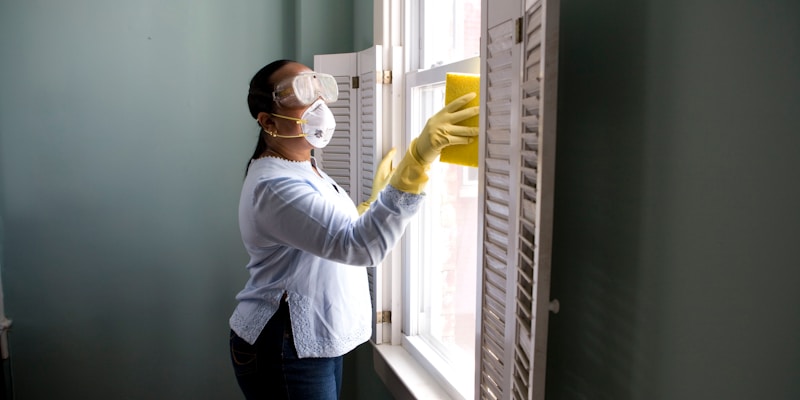
One caveat worth stating plainly: a cleaner needs enough of a window to actually work. I give the whole day rather than a tight two-hour slot, because a cleaner stuck outside a house at 9 AM will call you, and the twenty minutes you save on a tighter window costs an hour the first time traffic is bad.
The Doors That Won’t Automate
Not every barrier accepts a code from software, and pretending otherwise is how you end up with a beautiful automated system and a guest standing at a gate.
Some doors are genuinely outside your control. A community gate code set by an HOA on their own rotation schedule. A lobby callbox wired to a phone line. An elevator fob, a pool key, a parking hangtag, a mailbox key. A historic door where the board won’t approve a keypad. I wrote a whole piece on that layer — the barriers between the curb and the unit — in automating guest entry for gated communities, and the short version is that some of these can’t be automated, so they have to be designed instead.
Designing a physical handoff means giving it the three properties automation would have given it for free:
- An owner. One named person is responsible for the physical credential existing and coming back. Usually the cleaner, as part of turnover, never “whoever’s around.”
- A count. You know how many of the thing exist. Number them. Three fobs, labelled 1 through 3, is a system; “some fobs” is a shrug.
- An end. A return step that someone checks, on a specific day, with a consequence when it doesn’t happen.
And apply a lower bar to the physical stuff, because it’s harder to revoke: a lost fob for a building you can’t rekey is a permanent hole. That’s the one place I’d pay for a deposit-and-return hassle rather than optimise it away.
The spare key in the lockbox deserves its own sentence. Mine had been there since before I owned a smart lock, the combination was 2580 because that’s a vertical line on a keypad, and at least six people knew it. If you have one, go change it today. It’s the oldest credential you own and the only one with no log at all.
The Twenty-Minute Access Audit
Do this once a quarter, per property. It’s the cheapest hour in hosting and it’s the only thing that catches what automation missed.
- Open the lock’s code list. Every active credential, in front of you.
- Name every one. Not “probably a guest” — a name and a reason. Any code you can’t name gets deleted. This is the whole audit; everything else is detail. Deleting a code you can’t identify has never once cost me anything, and identifying it later takes thirty seconds.
- Check the permanent ones for people. Is this person still in your operation? Still a cleaner, still a co-host, still married to you? Each permanent code should map to a current relationship.
- Read the access log for one recent turnover. You’re looking for entries you can’t explain and for gaps — a cleaner code that never fired on a day you paid for a cleaning.
- Check the batteries while you’re there. Yes, really. It’s the same visit.
Any automation that fails by going quiet rather than by throwing an error needs a periodic human check. A code that should have been revoked and wasn’t doesn’t ring. Neither does an integration that stopped pushing codes last month while your guests kept getting in on an old permanent code you forgot about.
The audit gets much shorter as you move credentials from “issued by hand” to “derived from a schedule,” because derived credentials can’t be orphaned — there’s no code sitting on the lock waiting to be explained. That’s the real benefit of a tool like Outkeepr here, and it’s worth being precise about it: it doesn’t make the audit unnecessary, it makes the list you’re auditing much shorter. The rows in that table earlier that are generated from reservations and cleanings stop being rows you have to reason about at all, and you’re left auditing the handful that genuinely are permanent.

When the Lock Itself Is the Failure
Access management has a second failure mode that has nothing to do with who holds a code: the lock stops being reachable.
Batteries die. Wi-Fi drops. A firmware update lands badly. At one property, none of this matters much — you drive over. Across a portfolio it’s a recurring event, and it’s the one that turns into a 10 PM phone call.
What I do now, having learned each of these the tedious way:
- Replace batteries on a schedule, not on a warning. Make it a turnover task twice a year per lock. A low-battery alert is useful; a lock that dies at 11 PM on a Friday is a locksmith.
- Keep a physical override and know where it is. Most keypad locks have a key cylinder. Mine are in a labelled envelope at my house, not in a lockbox on the property, which would defeat the point.
- Keep one backup way in per property, documented in the same place as everything else about that property, so a person covering for you can find it without calling you.
- Have a human answer. Every automated entry system needs a number a guest can call that reaches a person who can solve it. This is the least automated part of the whole stack and it’s the part that saves reviews.
There’s a scale point buried in that list. The reason lock failures feel manageable at one property and unmanageable at six isn’t that they get more frequent per lock — it’s that you stop knowing which lock is due for what. Which is, again, an inventory problem wearing a hardware costume.
Questions to Ask Before You Buy
If you’re evaluating anything in this category — and the search that probably brought you here was some version of is there software that automates key exchange or smart lock management — these are the questions I’d ask, in this order. Note how few are about issuing codes.
- When a reservation is extended or shortened after the code exists, does the access window move?
- When a reservation cancels, is the credential removed, or just left to expire?
- Can cleaner access be derived from assignments rather than issued as a standing code?
- When the connection to my lock drops, do I get told — or does it just stop pushing codes silently?
- Can I see, in one place, every credential that exists across every property?
- What happens to codes for a property I remove from the account?
Question four is the one that separates serious tools from demos, and it’s the one nobody puts on a feature page. Ask it during the trial by pulling a lock offline on purpose and seeing whether anything anywhere tells you. Ask it of Outkeepr too — I’d rather you pressure-test the failure behaviour in a fortnight than discover it in July, and the questions above are the exact list I’d use on us.
What This Costs
Be clear about what’s being bought. The locks are hardware you own, and the setup guide covers picking them. The software layer is a subscription, and the fair comparison isn’t software against nothing — it’s software against the hours you spend writing codes by hand and the risk carried by every credential you’ve lost track of.
Outkeepr is $5 per property per month plus 0.5% per booking, with a 14-day trial, and it sits alongside whatever channel manager or PMS you already run rather than replacing it. Two weeks is enough to see a full turnover cycle — a check-in, a cleaning, a checkout, ideally an extension — which is the only honest way to find out whether the access window actually follows the reservation on your setup or only in the marketing copy.
The Short Version
- Issuing is the easy half. Evaluate any tool on how access ends.
- Inventory credentials, not locks. Most portfolios automate one row of an eight-row table.
- No credential without an end condition, even a soft one like a 90-day re-issue.
- Expiry must track the reservation, not a snapshot taken when the booking landed. Test it with an extension.
- Derive cleaner access from assignments. Offboarding then happens by itself.
- Design the handoffs that can’t automate — owner, count, end — and change that lockbox combination.
- Audit quarterly. Name every code. Delete what you can’t name.
- Plan for the lock itself failing, because at portfolio scale it’s a recurring event, not an emergency.
I still think about those thirty-four codes. Not one of them was a security breach, and that’s precisely why it took me two years and a pack of AA batteries to find them. The problem was never that I’d given someone access; it’s that I had built an elaborate system for the first half of that sentence and none at all for the part where access ends.
If you’d rather not maintain that second half by hand, download Outkeepr and connect a property. Your reservations, the cleanings that follow them, and who’s assigned to each one live in the same place — so who should be able to open a door on any given day is something the schedule already knows, instead of something you have to remember to take back.
Ready to automate your vacation rental?
AI guest messaging, smart lock codes, cleaner scheduling, and more — starting at $5/mo per property.
Try Outkeepr Free