
The first smart device I ever put in a rental was a thermostat, and I bought it for the wrong reason. A guest had left the slider open with the AC at 66 in August, the power bill that month was the largest I’d ever seen on that unit, and I wanted to be able to see the temperature from my phone and do something about it. It worked. I could see the temperature from my phone. I felt like I’d automated something.
Then, eighteen months later, a braided supply line under a guest bathroom sink let go on a Tuesday afternoon in a gap between bookings. It ran for two and a half days before my cleaner opened the door on Friday morning and found water at the threshold.
My smart home could tell me, in real time, that the living room was 71 degrees. It could not tell me the floor was wet.
That’s the sentence I’d put at the top of every smart home guide for hosts. I had bought the device that showed me a number I was curious about, and skipped the cheap one that watched the failure that could actually take the unit off the market. Not because I’d weighed them and chosen wrong — because nobody had ever made me ask the question in those terms.
A Device on Your Wifi Is Remote Control, Not Automation
Here’s the distinction that took me too long and cost me a floor.
A smart thermostat you adjust from your phone is a remote control with a nicer app. You are still the one deciding, still the one remembering, still the single point of failure. The device didn’t remove any work from your week — it just moved the work from a drive across town to a tap on a screen, which feels like progress right up until you’re doing it several times a week.
The same device becomes genuine automation the moment something other than you knows two facts: this stay ended at 10 AM today, and the next one starts Friday at 4 PM. Then the setback is a consequence of the calendar instead of a chore on your list. Nothing about the hardware changed. What changed is that a schedule was attached to it.
That’s the whole reason a pile of smart devices so often fails to feel like a system. The hardware is the easy half and the part the internet talks about. The half that decides whether any of it earns its place is the reservation data underneath — which stay is active, when it really ends, who is supposed to be in the unit next. That layer isn’t in the box with the thermostat, and it’s the layer Outkeepr exists to hold: the live reservation, the turnover that follows it, and the person assigned to that turnover, in one record the rest of your stack can be driven from.

Sort Devices by the Failure They Prevent
I now run every potential purchase through three questions before it goes in a cart. They take about thirty seconds each and they’ve talked me out of more devices than they’ve talked me into.
- What specific failure does this catch, and what does that failure cost me if it runs unwatched for three days? Three days is the right window because that’s a realistic gap between a checkout and the next time a human opens the door.
- Does it need to know the reservation schedule to be useful? If yes, buying it without solving the schedule problem gets you a remote control.
- Who touches it between guests, and does that person know they’re supposed to? Almost every device in a rental has a human in its loop, and it’s usually the cleaner.
Question one sorts the list ruthlessly. Sensors that watch catastrophic, silent, slow failures beat devices that report interesting numbers, every time, even though the interesting-number devices are the ones with the good marketing.
| Device | Failure it prevents | Needs the schedule? | Who touches it |
|---|---|---|---|
| Smart lock | Lockout, orphaned codes, unescorted access | Yes — codes must follow the real dates | Guest, cleaner, you |
| Leak sensors | Days of unnoticed water under a sink or heater | No — always on | Cleaner (battery check) |
| Water main shutoff | The same failure, but it stops it | No | Nobody, ideally |
| Noise monitor | A party you learn about from a neighbor | Loosely — quiet hours, occupancy | Nobody |
| Thermostat | Runaway bills, arrival in a hot unit, frozen pipes | Yes — setback vs. pre-cool | Cleaner |
| Freeze / low-temp sensor | A burst pipe in a vacant cold-climate unit | No | Cleaner (battery check) |
| Guest wifi + remote reboot | ”The internet is down” at 8 PM on a Sunday | No | Guest, cleaner |
| Smart blinds, lighting scenes | A slightly nicer first impression | No | Guest |
That last row isn’t a criticism of nice things. It’s a statement about order. Put it after the sensors.
Tier One: The Four That Earn Their Place Immediately
The lock. It’s first for a reason that has nothing to do with convenience: it’s the only device in the house whose failure leaves a stranger standing outside at night. Get per-booking codes that expire on the actual checkout, not a code you rotate by hand each season. If you’re still choosing hardware, the smart lock setup guide covers the brands and the install; the part worth pressure-testing before you commit is what happens to the access window when a guest extends by a night, because that’s the case that quietly turns into a manual task you don’t know you have.
Leak sensors. These are the cheapest insurance in hosting and the least discussed. One under each bathroom vanity, one behind the washer, one at the water heater, one under the kitchen sink. They are small, battery-powered, and boring, and any one of them would have turned my two-and-a-half-day flood into a Tuesday afternoon phone call.
A water main shutoff, if you own the plumbing and the valve is reachable. A sensor tells you; a shutoff ends it. In a condo where you don’t control the riser, ask the association what exists — sometimes there’s a building-level system you can be added to the notification list for.
Noise monitoring. Not because parties are common, but because the alternative discovery channel is a neighbor, an HOA complaint, or a platform case opened after the damage. Use decibel-threshold monitoring rather than anything that captures audio: both major platforms have tightened their rules on recording devices in rentals, and the current policy on the platform is the thing to read before you install — not a blog post, mine included.
Notice three of those four don’t care what day it is. That’s why they’re first: they work the moment the battery is in, with no dependency on any other system being correct.

Tier Two: Once the Basics Are Actually Running
- Smart smoke and CO detectors that alert to a phone, not just to an empty hallway. Also useful for the thing hosts actually hit: the low-battery chirp at 3 AM that becomes a one-star review about a beeping noise.
- Freeze or low-temperature sensors in any cold-climate unit that sits vacant. A thermostat reading 55 in the hallway doesn’t tell you the crawlspace is at 20.
- Guest wifi on its own network, with a router you can reboot remotely. Separate the guest network from anything of yours on site, and make sure someone other than you can power-cycle it.
- Entry sensors on the doors that should stay shut — the mechanical room, the owner’s closet, the garage side door. Cheap, and they answer the “did anyone go in there” question without a camera.
- Smart plugs for the one appliance that must be off, usually a space heater or a stereo.
Tier two is where a hub starts to matter, and the honest advice is to minimize apps, not maximize features. Every additional brand is another login, another firmware cycle, and another thing that silently stops reporting in March and is noticed in July.
Tier Three: Fine To Want, Wrong To Buy Third
Indoor cameras and voice assistants both sit here, and for the same reason: they generate guest discomfort and policy exposure that’s disproportionate to what they solve. Read the platforms’ current rules directly before you install anything in either category.
Smart blinds, lighting scenes, and smart TVs signed into your own accounts are tier three for a duller reason. They’re guest-facing polish, they add app surface, and the TV one is a genuine footgun — sign out of your streaming accounts, and assume every guest will find whatever is still signed in.
There’s also a category I’d call devices that report numbers to you: energy monitors, occupancy counters, air quality sensors. They’re interesting. I own some. But a dashboard you check is a chore with a graph on it, and a chore with a graph on it is exactly the thing I thought I’d bought my way out of.
The test I use now: does this device act on its own, or does it ask me to act? Anything in the second category is a reminder system, and I already have too many of those.
The Layer Nobody Sells You With the Hardware
Every device that needs the schedule needs the same three facts, and none of them come from a sensor:
- Is the unit occupied right now, and until when?
- Who is in it, and what should they be able to open?
- Who is supposed to be in it next, and when do they arrive?
Hosts usually try to answer the first one with a sensor — motion, occupancy, power draw. It doesn’t work, because the question isn’t physical. “Occupied” is a reservation fact. A guest who checks out at 9 AM and a cleaner who arrives at 11 both register as motion, and the correct thermostat behavior, lock behavior, and noise threshold for those two people are completely different.
So the useful setup isn’t a smart home talking to itself. It’s a smart home driven by whatever holds your bookings. When the reservation is a live record rather than a row in an exported calendar, a lot of this collapses into something simple: codes that expire when the stay really ends, setbacks that follow the actual gap, a cleaner’s access derived from the cleaning they were assigned rather than from a permanent code somebody typed into a lock app two years ago. That’s the argument I made at length about the whole credential lifecycle, and it generalizes cleanly to every other device in the house.
This is the part of the stack Outkeepr is built for. It connects to your existing Airbnb and VRBO accounts, keeps the reservation as a live record that recomputes when dates move, generates the turnover that follows each checkout, and carries who’s assigned to it — so “should the heat be set back today” and “who should be able to open this door on Thursday” are answered by the schedule instead of by your memory. It’s $5 per month per property plus 0.5% per booking, with a 14-day trial, and it sits alongside whatever lock brand and hub you already own rather than asking you to replace them.
Two weeks is roughly the right amount of time to test it, because you want to watch a full cycle: a check-in, a cleaning, a checkout, and ideally an extension — the extension being the case that reveals whether anything downstream actually follows a change of dates.
Every Device Needs a Manual Answer
This is the section I’d have skipped three years ago, and it’s the one that separates a smart home from a liability.
Any device whose failure leaves a guest outside, a cleaner outside, or a property unheated needs an answer that does not involve the internet. Write it down per property:
- Lock: a physical key in a location you control, and a code that works when the hub is offline. Test it by pulling the hub’s power on purpose.
- Thermostat: does it hold its schedule with no wifi, or revert to something expensive? Most hold. Verify yours rather than assume.
- Sensors: batteries. This is the whole failure mode. A leak sensor with a dead cell is indistinguishable from a dry floor.
- Hub: what breaks if it dies, and does anything tell you it died? A silent sensor network is the worst state in this entire post, because it looks exactly like a working one.
The last bullet is the question worth asking of any tool in this category, and I’d rather you asked it of Outkeepr too: unplug something on purpose during a trial and see whether anything anywhere notices. That’s a much better way to learn the answer than finding it out in July. If nothing notices, you don’t have monitoring — you have devices.
What Your Cleaner Actually Needs From the Smart Home
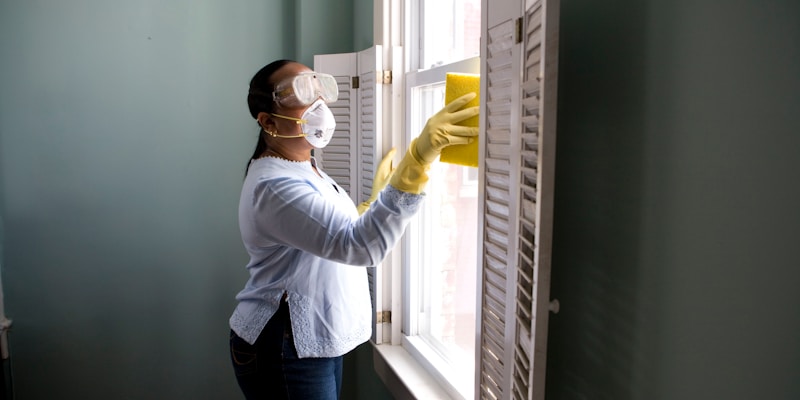
The person who interacts with your hardware most is not you and not the guest. It’s whoever turns the unit over, and most smart home plans forget they exist.
Three things make that go well. The cleaner needs access that arrives on its own for the day they’re scheduled, so nobody is texting a code at 8 AM. They need a short, explicit list of what to reset — thermostat back to the vacancy setting, guest wifi confirmed up, the space heater plug off. And they need the battery checks on the checklist, because that’s the only realistic way sensor batteries ever get replaced before they matter.
The reason I’d rather that live in the same place as the reservation than in a shared note is that a checklist item only happens if somebody is dispatched to do it. In Outkeepr the cleaning comes from the reservation and carries both the assignee and what has to be done, with checkout photos attached — so “were the sensors checked in August” is a question with an answer instead of a hope. The general case for that is in automating cleaner scheduling; the smart-home-specific version is just that hardware maintenance is the checklist item people skip most, and it’s the one with the largest downside.
The Order I’d Install It In Again
- Smart lock with per-booking codes that expire on the real checkout. Everything else is secondary.
- Leak sensors — vanities, water heater, washer, kitchen. Same week.
- The reservation layer, so the lock and the thermostat have something to be driven by. Doing this third rather than last is the change I’d make.
- Thermostat, now that a schedule exists for it to follow.
- Noise monitoring, decibel-threshold only.
- Water main shutoff, if the valve is yours.
- Freeze sensors, if winter is a real risk where you host.
- Smart smoke and CO with phone alerts.
- Guest wifi separated, with remote reboot.
- Everything in tier three, in whatever order you find fun.
Steps one through three are the ones that change how your week feels. Everything after is refinement.
The 20-Minute Audit
Do this once a season, per property. It’s short and it has caught something real for me every single time.
- Walk the device list and note the last time each one reported anything. Silence is the finding.
- Replace every sensor battery older than a year, without checking whether it needs it. Cheaper than the alternative.
- Pull one code that should have expired and try it on the door. This is the fastest way to discover that codes are being created but never revoked.
- Confirm the thermostat’s vacancy setting is what you think it is, seasonally correct, and not something a guest changed in June.
- Reboot the guest network and time how long it takes to come back, so you know what to tell a guest.
- Read one recent turnover’s photos and check whether the resets actually happened.
Anything that fails the audit is either a device to fix or, more often, a device that was never attached to a schedule and has been quietly waiting for you to remember it.
The audit also gets shorter the more of your credentials are derived rather than issued by hand, and it’s worth being precise about why: a code that a reservation created and a checkout revoked can’t be orphaned, so it never becomes a row you have to reason about. That’s the specific thing running the schedule in Outkeepr buys you here — not a shorter audit interval, a shorter list. What’s left to check by hand is the handful of credentials that genuinely are permanent.
The Short Version
Smart home automation for a rental isn’t a shopping list, it’s an ordering problem. Buy the devices that watch silent, expensive, slow failures before the ones that report numbers you find interesting. Understand that anything needing to know whether the unit is occupied is asking a reservation question, not a sensor question, and solve that layer early rather than last. Give every device a manual fallback, put its maintenance on the turnover checklist, and audit for silence rather than for alarms.
I did eventually get that bathroom floor replaced. The sensors went in the same week, four of them, and together they cost less than a single night’s rate. The thermostat is still there too, still telling me the living room is 71 degrees — only now it does it because the calendar says the unit is empty until Friday, which is the only version of that device I’d buy again.
If the part you’re missing is the schedule underneath the hardware — the live reservation, the turnover that follows it, and someone assigned to run it — that’s the piece worth handing off first, because it’s what every other device in the house is waiting on. Outkeepr is free to try for 14 days and connects to the Airbnb and VRBO accounts you already have, with nothing to change about the lock, the hub, or the thermostat already on the wall.
Ready to automate your vacation rental?
AI guest messaging, smart lock codes, cleaner scheduling, and more — starting at $5/mo per property.
Try Outkeepr Free